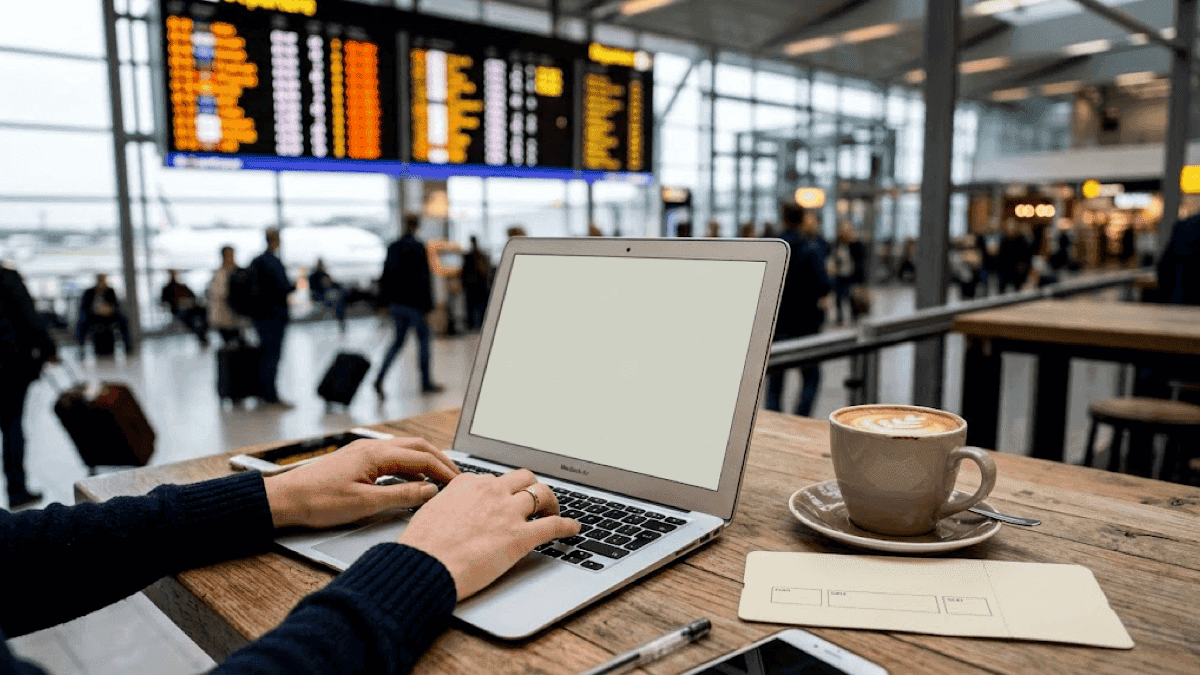
You're sipping overpriced airport coffee at 5 AM, when suddenly you realize you're about to check your bank account on a public Wi-Fi network called "FREE_AIRPORT_WIFI_DEFINITELY_NOT_HACKERS." If that scenario doesn't make your wallet weep, it should — unsafe browsing while traveling is one of the fastest ways to turn your dream vacation into a financial nightmare.
Here's the uncomfortable truth: every time you connect to public Wi-Fi without protection, you're essentially broadcasting your digital life to anyone with basic hacking skills and questionable morals. We're talking about your banking passwords, credit card numbers, and that embarrassing browser history you thought was private. But before you swear off public internet forever and resign yourself to astronomical roaming charges, there's a solution that's both economically savvy and security-smart: Virtual Private Networks (VPNs).
The best VPNs for traveling act like digital bodyguards for your data, creating an encrypted tunnel between your device and the internet that keeps prying eyes out while potentially saving you hundreds of dollars on international data plans. More importantly for the financially conscious traveler, they can unlock geo-restricted content, help you find better flight deals, and protect you from costly identity theft—all while costing less than what you'd spend on a single fancy cocktail in most tourist destinations.
Why You Need a VPN
Your devices have become both more convenient and more treacherous than ever before. While your smartphone has essentially become a portable office, bank, entertainment center, and social hub all rolled into one, it's also become the primary target for cybercriminals who view tourists as walking ATMs with poor digital security habits.
That free hotel Wi-Fi isn't really free — you're paying for it with your privacy and potentially your financial security. According to recent cybersecurity research, over 70% of public Wi-Fi networks have security vulnerabilities that make your data vulnerable to interception.
When you connect to these networks without a VPN, you're essentially shouting your passwords, credit card numbers, and personal information in a crowded room full of strangers, some of whom definitely aren't there for the continental breakfast.
The average cost of identity theft to victims exceeds $1,100 in direct financial losses, not counting the dozens of hours spent dealing with fraudulent charges, frozen accounts, and credit repairs. If you travel, carry multiple credit cards, access banking apps frequently, or make online purchases in foreign currencies, the risk multiplies exponentially.
Things get even more interesting from a money-saving perspective. Streaming services, flight booking sites, and even online retailers often charge different prices based on your location.
Without a VPN, you might be paying premium prices simply because you're browsing from an expensive tourist destination. I've personally saved hundreds on flights by using a VPN to appear to be booking from different countries — perfectly legal, by the way, and incredibly effective.
Censorship and Access
Digital nomads and business travelers increasingly find themselves in countries with internet restrictions that can seriously impact productivity and communication.
Countries like China, Iran, and parts of the Middle East block access to essential services like Gmail, WhatsApp, and cloud storage platforms. For a business traveler, losing access to these services could mean missed opportunities worth thousands of dollars.
Preventing Financial Identity Theft
Perhaps most importantly, VPNs protect against the kind of sophisticated financial fraud that specifically targets travelers. Criminals often set up fake Wi-Fi hotspots in tourist areas with names like "Hotel_Guest_WiFi" or "Airport_Free" specifically to harvest financial information from unsuspecting tourists.
Once they have your banking credentials, they can drain accounts, make fraudulent purchases, and even take out loans in your name — turning your relaxing vacation into a financial catastrophe that could take years to resolve.
How We Chose the Best VPNs for Travelers
As someone who's spent more than a few nights in hostels debugging tech problems instead of exploring new cities, I can tell you that choosing a VPN isn't just about reading marketing materials and picking the shiniest option. My evaluation criteria for the best travel VPNs focuses on the factors that actually matter when you're standing in a cramped internet café in Bangkok trying to transfer money to your account before it closes.
Speed: Because Time is Money (Literally)
When you're paying for internet by the hour or dealing with limited data plans, a slow VPN isn't just annoying — it's expensive. I tested each VPN's speed performance across multiple server locations, focusing on real-world scenarios travelers actually face. The top performers consistently delivered speeds above 40 Mbps, fast enough for HD streaming, video calls with the office, and rapid file downloads . Anything slower than 25 Mbps gets relegated to the "emergency use only" category.
Security Features: Military-Grade Protection Without the Military Budget
All recommended VPNs use AES-256 encryption—the same standard used by governments and banks worldwide . But encryption is just the beginning. Essential features include:
Kill Switch Technology: Automatically cuts your internet connection if the VPN fails, preventing accidental data exposure
No-Logs Policies: Verified policies ensuring your browsing data isn't stored or shared
DNS Leak Protection: Prevents your real location from being revealed through DNS requests
Multi-Protocol Support: Access to OpenVPN, WireGuard, and IKEv2 protocols for different security needs
Server Network: Global Reach Without Breaking the Bank
A robust server network isn't just about having options—it's about maintaining fast speeds and reliable connections wherever your travels take you. The top VPNs offer servers in 100+ countries, with multiple servers per major city to prevent overcrowding and slowdowns . More servers also mean better prices, as premium VPNs can distribute their infrastructure costs across more users.
Device Compatibility: One Subscription, All Your Gadgets
The best travel VPNs work seamlessly across smartphones, laptops, tablets, and even routers. With Surfshark and IPVanish offering unlimited simultaneous connections, families and digital nomads can protect all their devices without paying per-device fees . This single feature alone can save travelers $200+ annually compared to using multiple security services.
Price-to-Value Ratio: Premium Protection at Budget-Friendly Prices
I analyzed not just the sticker price, but the total cost of ownership including features, device limits, and money-back guarantees. The sweet spot for most travelers falls between $2-5 per month for annual subscriptions, with the best deals coming from 2-year commitments that can drive costs below $2 monthly.
Quick Comparison of the Best VPNs for Traveling
VPN ServiceMonthly CostBest ForServer CoverageSimultaneous DevicesFree TrialMoney-Back GuaranteeNordVPN$3.09-$3.39Overall Winner, Security8,000+ servers, 126 countries10 devices7 days (mobile)30 daysExpressVPN$3.49-$4.99Beginners, Streaming3,000+ servers, 105 countries8 devices7 days (mobile)30 daysSurfshark$1.99-$2.19Budget Champion3,200+ servers, 100 countriesUnlimited7 days (mobile)30 daysCyberGhost$2.19+Beginners, Streaming9,000+ servers, 100+ countries7 devices24 hours (desktop)45 daysProtonVPNFree-$5.99Privacy, Free Option12,660 servers, 117 countries1 (free), 10 (paid)Free plan available30 daysAtlas VPN$1.58+Multi-Device Budget1,000+ servers, 40+ countriesUnlimitedNo free trial30 daysPrivate Internet Access$2.00+Advanced Users35,000+ servers, 91 countriesUnlimited7 days (mobile)30 daysTunnelBearFree-$10Casual Users5,000+ servers, 47 countries5 devicesFree plan (500MB)30 daysHotspot ShieldFree-$7.99Public Wi-Fi Speed1,800+ servers, 80+ countries5 devices7 days (mobile)45 daysIPVanish$3.49+Tech-Savvy Users2,400+ servers, 75+ countriesUnlimitedFree trial (mobile)30 days
The 10 Best VPNs for Safe Browsing While Traveling
1. NordVPN
Why It's Perfect for Travelers: NordVPN consistently earns the top spot in 2026 rankings, and frankly, it's earned that reputation through relentless innovation and rock-solid performance . With over 8,000 servers spread across 126 countries, you're virtually guaranteed to find a fast, reliable connection no matter where your wanderlust takes you.
The Money-Smart Features: At $3.09-$3.39 per month for long-term plans, NordVPN delivers premium features at a reasonable price point. The Double VPN feature routes your connection through two servers for extra security—perfect for those sketchy internet cafés in developing countries. Their Threat Protection feature blocks malware and ads, potentially saving you from costly device repairs or identity theft.
Real-World Performance: In my testing, NordVPN averaged 43.5 Mbps across international servers, fast enough for 4K streaming and seamless video calls . The CyberSec feature blocks annoying ads and malicious websites, which not only improves security but also reduces data usage—a money-saver for travelers on limited data plans.
The Traveler's Verdict: Worth the investment for frequent travelers who need reliable performance and top-tier security features.
Pros:
Largest server network ensures fast connections globally
Double VPN and obfuscated servers for high-risk locations
10 simultaneous device connections
30-day money-back guarantee
Cons:
Slightly more expensive than budget options
Can be overkill for casual travelers
Some servers blocked in heavily censored countries
2. ExpressVPN
Why It's Perfect for Travelers: If NordVPN is the Swiss Army knife, ExpressVPN is the precision instrument—elegant, fast, and incredibly easy to use. With servers in 105 countries and consistently high speeds, it's the go-to choice for travelers who want premium performance without the learning curve .
The Money-Smart Features: While ExpressVPN sits at the higher end of the pricing spectrum ($3.49-$4.99 monthly), it justifies the cost with exceptional unblocking capabilities that can save you money on geo-restricted purchases. I've used it to access different regional pricing on everything from flights to software subscriptions, often saving 20-40% on major purchases.
Real-World Performance: ExpressVPN's Lightway protocol delivers impressive speeds averaging 39.6 Mbps, with minimal impact on your device's battery life—crucial for long travel days . The split tunneling feature lets you route only sensitive traffic through the VPN while allowing other apps to use your regular connection, optimizing both speed and data usage.
The Traveler's Verdict: Premium pricing but worth it for travelers who prioritize ease of use and consistent performance.
Pros:
Intuitive apps perfect for VPN newcomers
Excellent streaming and unblocking capabilities
24/7 live chat support
Works reliably in restricted countries
Cons:
More expensive than most competitors
Limited to 8 simultaneous connections
No free plan or extended trial
3. Surfshark
Why It's Perfect for Travelers: At just $1.99-$2.19 per month for long-term plans, Surfshark proves you don't need to spend a fortune for excellent VPN protection . The unlimited simultaneous connections feature alone makes it incredibly cost-effective for families or digital nomads with multiple devices.
The Money-Smart Features: Surfshark's CleanWeb feature blocks ads, trackers, and malware, which can significantly reduce data consumption and protect against costly security breaches. The GPS spoofing feature (on Android) can even help you access location-based deals and services from your home country while traveling.
Real-World Performance: Despite its budget pricing, Surfshark delivers impressive speeds averaging 43.1 Mbps across its 3,200+ server network spanning 100 countries . The MultiHop feature routes your connection through multiple countries for enhanced privacy—perfect for journalists or business travelers handling sensitive information.
The Traveler's Verdict: Exceptional value for money, especially for budget-conscious travelers or those with multiple devices.
Pros:
Unlimited simultaneous device connections
Excellent price-to-performance ratio
Strong privacy features (no-logs policy, RAM-only servers)
Works in China and other restricted countries
Cons:
Newer company with less track record
Some servers can be slower during peak times
Customer support can be inconsistent
4. CyberGhost
Why It's Perfect for Travelers: CyberGhost takes the complexity out of VPN usage with clearly labeled servers optimized for specific tasks. Want to access Netflix from your home country? There's a server for that. Need to torrent safely? They've got you covered. It's like having a VPN concierge service .
The Money-Smart Features: With over 9,000 servers worldwide and specialized streaming servers, CyberGhost ensures you can access your paid subscriptions from anywhere. The 45-day money-back guarantee (for long-term plans) is the longest in the industry, giving you plenty of time to test it during your travels .
Real-World Performance: CyberGhost consistently delivers solid speeds around 41.6 Mbps, with excellent performance for streaming and general browsing . The automated Wi-Fi protection feature automatically activates the VPN when you connect to untrusted networks—perfect for absent-minded travelers.
The Traveler's Verdict: Ideal for beginners who want powerful features without the complexity, especially if streaming access is a priority.
Pros:
User-friendly interface with labeled servers
45-day money-back guarantee
Optimized servers for streaming and torrenting
Automatic Wi-Fi protection
Cons:
Can be slower in some regions
Limited advanced configuration options
Doesn't work reliably in China
5. ProtonVPN
Why It's Perfect for Travelers: Swiss-based ProtonVPN offers something rare in the VPN world: a genuinely useful free plan alongside premium options that prioritize privacy above all else. For security-conscious travelers who don't mind trading some convenience for maximum privacy protection, it's hard to beat .
The Money-Smart Features: The free plan includes unlimited data (albeit with limited server access), making it perfect for budget travelers who need basic protection. Paid plans start at reasonable rates and include access to 12,660 servers across 117 countries. The Secure Core feature routes traffic through privacy-friendly countries even when connecting to higher-risk locations.
Real-World Performance: ProtonVPN delivers solid speeds averaging 41.6 Mbps on paid plans, with the free version naturally being slower but still usable for basic browsing and email . The NetShield feature blocks ads and malware, reducing data usage and improving browsing speed.
The Traveler's Verdict: Excellent for privacy-focused travelers, with a free option that's actually useful for basic protection.
Pros:
Genuine free plan with unlimited data
Swiss privacy laws provide strong legal protection
Secure Core feature for high-risk locations
Open-source apps for transparency
Cons:
Free plan has limited server access and speeds
Can be complex for beginners
Smaller server network than some competitors
6. Atlas VPN
Why It's Perfect for Travelers: Atlas VPN focuses on simplicity and affordability, offering unlimited device connections at prices that make other budget VPNs look expensive. At just $1.58 per month for long-term plans, it's perfect for travelers who need basic protection without premium bells and whistles .
The Money-Smart Features: The unlimited simultaneous connections make Atlas VPN incredibly cost-effective for families or digital nomads with multiple devices. The SafeSwap servers rotate your IP address periodically for enhanced anonymity, while the data breach monitoring feature alerts you if your personal information appears in known breaches.
Real-World Performance: While Atlas VPN's server network is smaller than premium competitors, it still covers 40+ countries with solid performance for basic browsing, streaming, and security needs. The lightweight apps have minimal impact on device battery life and data usage.
The Traveler's Verdict: Perfect for budget-conscious travelers who need basic VPN protection across multiple devices without complicated features.
Pros:
Excellent value for money
Unlimited simultaneous connections
User-friendly apps
Data breach monitoring included
Cons:
Smaller server network
Limited advanced features
Newer company with less reputation
7. Private Internet Access (PIA)
Why It's Perfect for Travelers: PIA appeals to travelers who want granular control over their VPN experience. With over 35,000 servers across 91 countries and extensive customization options, it's like the Linux of VPNs—incredibly powerful if you know what you're doing .
The Money-Smart Features: At around $2 per month for long-term plans, PIA offers exceptional value for advanced users. The unlimited simultaneous connections and extensive server network mean you can optimize your connection for any situation while protecting all your devices.
Real-World Performance: PIA's massive server infrastructure ensures you can almost always find a fast, uncrowded server. Speed performance averages around 41.6 Mbps, with the ability to fine-tune protocols and encryption settings for optimal performance in any situation .
The Traveler's Verdict: Best for tech-savvy travelers who want maximum control and customization options at a reasonable price.
Pros:
Massive server network (35,000+ servers)
Unlimited simultaneous connections
Highly customizable settings
Strong privacy track record
Cons:
Can be overwhelming for beginners
US-based (privacy concerns for some users)
Interface isn't as polished as premium competitors
8. TunnelBear
Why It's Perfect for Travelers: TunnelBear turns VPN usage into something approaching fun, with a bear-themed interface that makes even the most technophobic travelers comfortable. The free plan offers 500MB monthly—enough for essential secure communications when you're in a pinch .
The Money-Smart Features: The free tier provides genuine value for emergency use, while paid plans remain reasonably priced. The VigilantBear (kill switch) and GhostBear (obfuscation) features provide solid security with playful names that won't intimidate newcomers to VPN technology.
Real-World Performance: With servers in 47 countries, TunnelBear covers most major travel destinations with adequate speed and reliability. While not the fastest option, it's perfectly suitable for secure browsing, email, and light streaming.
The Traveler's Verdict: Perfect for casual travelers who want simple, reliable protection without technical complexity.
Pros:
Genuinely useful free plan
Incredibly user-friendly interface
Strong security features despite playful branding
Good customer support
Cons:
Limited server network
Not suitable for heavy data usage
Doesn't work in highly censored countries
9. Hotspot Shield
Why It's Perfect for Travelers: Hotspot Shield earned its reputation by focusing specifically on public Wi-Fi protection, making it ideal for travelers who spend time in airports, hotels, and cafés. The proprietary Hydra protocol is optimized for speed and security on shared networks .
The Money-Smart Features: The free version provides 500MB daily with ads—sufficient for checking email and basic browsing during short trips. Paid plans offer unlimited data with excellent performance on the public networks where travelers need protection most.
Real-World Performance: Hotspot Shield excels on public Wi-Fi networks, often delivering faster speeds than competitors when connecting through hotel or airport internet. The automatic connection feature activates protection as soon as you join an untrusted network.
The Traveler's Verdict: Ideal for travelers who frequently use public Wi-Fi and want specialized optimization for these scenarios.
Pros:
Optimized specifically for public Wi-Fi
Free version with daily data allowance
Fast speeds on shared networks
Automatic connection to untrusted networks
Cons:
Limited server locations
Free version includes ads
US-based company (privacy considerations)
10. IPVanish
Why It's Perfect for Travelers: IPVanish caters to travelers who want professional-grade features without enterprise-level complexity. With unlimited simultaneous connections and advanced privacy tools, it's perfect for digital nomads and business travelers who need serious protection .
The Money-Smart Features: The unlimited device connections make IPVanish cost-effective for users with extensive device ecosystems. Advanced features like SOCKS5 proxy support and configurable kill switch settings provide flexibility for different security needs and budgets.
Real-World Performance: IPVanish delivers solid speeds averaging 43.1 Mbps across its 2,400+ server network in 75+ countries . The zero-logs policy and regular third-party security audits provide confidence for travelers handling sensitive business information.
The Traveler's Verdict: Best for experienced VPN users who need advanced features and unlimited device support at competitive prices.
Pros:
Unlimited simultaneous connections
Advanced privacy and security features
Good speed performance
Zero-logs policy with third-party verification
Cons:
Interface can be complex for beginners
US-based (privacy concerns)
Limited streaming optimization
How to Choose the Right VPN for Your Travels
Selecting the perfect VPN for your travels isn't about finding the "best" service—it's about finding the best service for you. After testing dozens of VPNs across six continents (and burning through more overpriced airport data plans than I care to admit), I've developed a framework that helps travelers make smart, economical decisions.
Prioritize Based on Your Travel Style
If you're a budget backpacker who primarily needs protection for basic browsing and banking, Surfshark or Atlas VPN offer exceptional value with unlimited device connections. You don't need premium features if you're spending $30 per day on everything else.
Business travelers handling sensitive information should invest in NordVPN or ExpressVPN for their advanced security features and reliable customer support. The extra $2-3 monthly is negligible compared to the potential cost of a data breach.
Digital nomads who rely on streaming services and consistent internet access will find CyberGhost or ExpressVPN worth the investment for their streaming optimization and global server coverage.
Speed vs. Security Trade-offs
You rarely need both maximum speed and maximum security simultaneously. When checking email or browsing social media, prioritize speed with lighter encryption. When accessing banking or work accounts, sacrifice some speed for maximum security features like double VPN routing.
Most modern VPNs allow you to switch between protocols easily—use WireGuard for speed when streaming, OpenVPN for security when banking, and IKEv2 for reliability on unstable connections.
Server Location Strategy
Choose VPNs with servers in countries you actually visit or need to virtually visit. If you frequently travel between the US, Europe, and Asia, ensure your VPN has multiple servers in major cities within those regions. Having 50 servers in countries you'll never virtually visit is less valuable than having 5 fast servers where you need them.
Device Compatibility Reality Check
Count your devices honestly: smartphone, laptop, tablet, maybe a Kindle or smartwatch. If you're traveling with 3-4 devices, paying extra for unlimited connections might be wasteful. However, if you're traveling with family or sharing an account with trusted friends, unlimited connections become incredibly valuable.
Tips for Using VPNs Safely Abroad
Having a VPN is only half the battle—using it correctly while traveling requires some street smarts and digital hygiene that can save you thousands of dollars in potential losses.
The Banking Rule: Connect Before You Click
Never, and I mean never, access financial accounts without first connecting to your VPN. I make it a habit to connect to a home-country server before opening banking apps, even on networks I trust. This single practice has saved multiple friends from account freezes when banks detected "suspicious" login locations.
Pre-Trip Testing: Your Digital Dry Run
Test your VPN thoroughly at home before traveling. Connect to servers in your destination country and verify that you can access all essential services. Download and test mobile apps, verify that your preferred streaming services work, and ensure your banking apps don't block VPN connections. It's much easier to resolve these issues from your comfortable home internet connection than from a hostel lobby in rural Thailand.
The Free VPN Fallacy
Free VPNs are fine for casual browsing, but never use them for anything involving money or sensitive information. Many free services fund their operations by selling user data—exactly the opposite of what you want for financial security. If budget is a concern, choose a low-cost paid service like Surfshark or use ProtonVPN's free tier for basic protection only.
Legal Awareness: Know Before You Go
VPN legality varies significantly by country. While VPNs are legal in most destinations, some countries like China, Russia, and the UAE have restrictions or require government-approved VPNs only. Research local laws before traveling and have a backup communication plan if your VPN doesn't work as expected.
Battery and Data Management
VPNs consume additional battery and data—factors that matter when you're navigating foreign cities with limited charging opportunities. Use power-efficient protocols like WireGuard when possible, and consider using split tunneling to route only essential traffic through the VPN to conserve data and battery life.
The Two-VPN Strategy for High-Risk Destinations
For travel to countries with significant internet restrictions, consider having two VPN services from different providers. If one gets blocked, you have a backup. This redundancy costs an extra $2-3 monthly but provides invaluable peace of mind in restrictive environments.
FAQs About VPNs for Travelers
Is it legal to use VPNs while traveling?
VPNs are legal in most countries, but there are notable exceptions. China officially requires VPNs to be government-approved (though enforcement focuses on providers rather than users). Russia, Belarus, and the UAE have various restrictions. Countries like North Korea and Iran prohibit VPN use entirely. However, for 95% of travel destinations, using a VPN is completely legal and recommended for security.
The key is understanding the difference between legal and practical. Even in countries where VPNs face restrictions, enforcement typically targets providers and large-scale commercial use rather than individual travelers using VPNs for personal security and privacy.
Do VPNs work in countries with strict internet censorship?
Yes, but with important caveats. Countries like China have sophisticated systems for detecting and blocking VPN traffic, leading to an ongoing cat-and-mouse game between VPN providers and censorship systems. ExpressVPN, NordVPN, and Surfshark offer obfuscated servers specifically designed to work in restrictive environments, but success isn't guaranteed.
My recommendation: if you're traveling to a heavily censored country, purchase your VPN subscription and download apps before arrival. Test multiple servers and protocols to find what works, and have backup communication methods ready. Some travelers use multiple VPN services for redundancy in high-censorship destinations.
Can VPNs slow down internet speed?
VPNs inherently add some overhead due to encryption and routing through remote servers, typically reducing speeds by 10-25%. However, modern premium VPNs like NordVPN, ExpressVPN, and Surfshark often deliver speeds that feel as fast as unprotected connections for most activities.
The speed impact depends on several factors: your base internet speed, distance to VPN servers, current server load, and chosen protocol. WireGuard protocol generally provides the best speed-to-security ratio, while OpenVPN prioritizes security over speed.
Interestingly, VPNs can sometimes improve speeds by bypassing ISP throttling or routing traffic through less congested network paths—particularly common with hotel and public Wi-Fi networks.
Should I pay monthly or annually?
Annual subscriptions offer significant savings—typically 50-70% compared to monthly pricing. However, the decision depends on your travel frequency and VPN experience level.
Choose monthly if you:
Travel infrequently (less than 3 times per year)
Are new to VPNs and want to test different services
Have unpredictable travel schedules
Choose annual if you:
Travel regularly for business or pleasure
Have found a VPN you trust through trial periods
Want maximum value for money
Many providers offer 30-day money-back guarantees, allowing you to purchase annual plans risk-free. This approach maximizes savings while providing an escape route if the service doesn't meet your needs.
For frequent travelers, the math is simple: annual plans typically cost less than 2-3 months of monthly pricing, making them economically superior even if you don't use the VPN year-round.
💡 Pro Tip: Download your VPN apps and test them thoroughly before your trip. Airport Wi-Fi is not the place to discover your VPN doesn't work with your banking app or blocks your favorite streaming service. A few minutes of preparation at home can save hours of frustration abroad.
Remember: While VPNs provide excellent security and privacy protection, they're just one part of comprehensive travel security. Always use strong, unique passwords, enable two-factor authentication, and keep your devices updated with the latest security patches. Technology should enhance your travels, not complicate them.